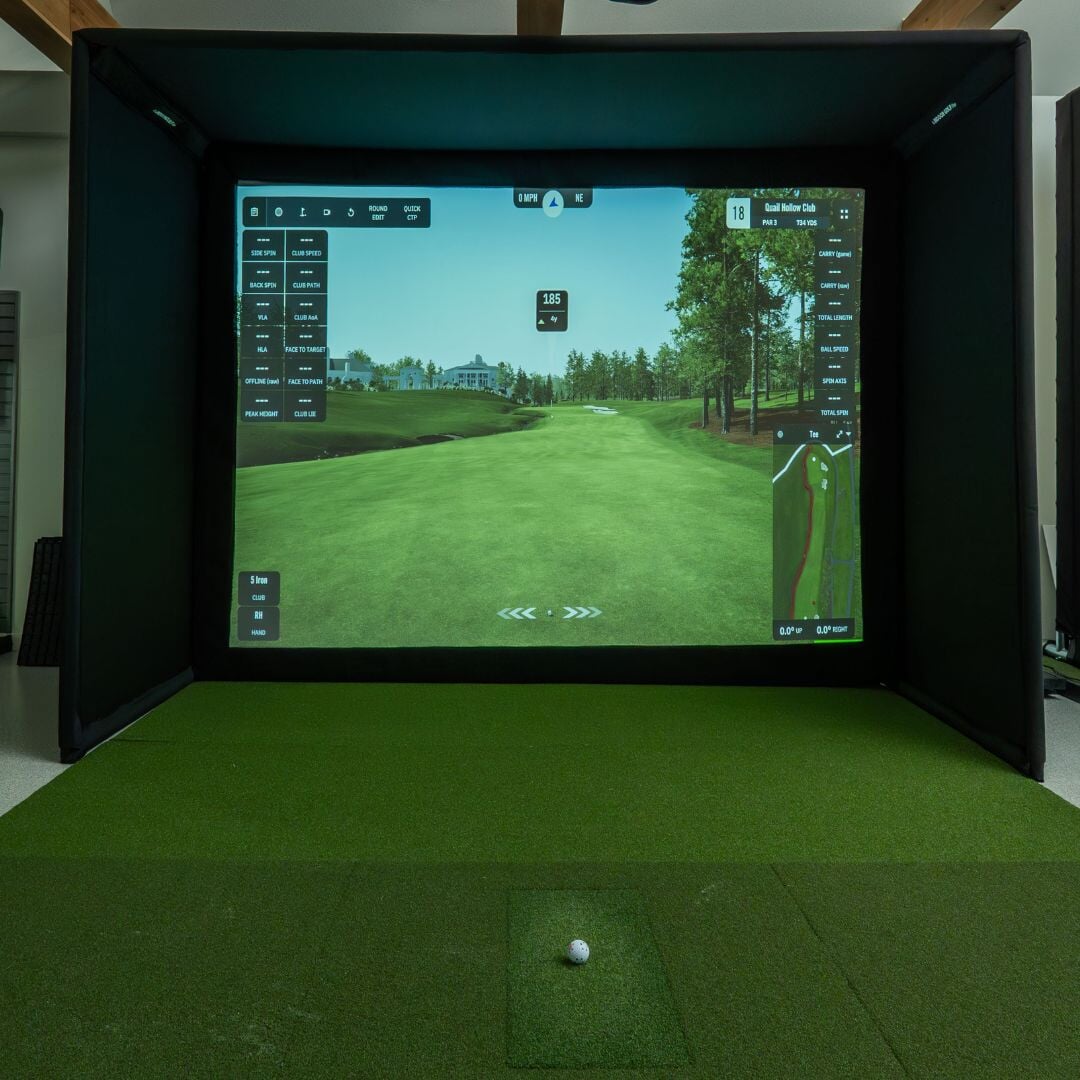
How to Build a Golf Simulator, Step by Step
The seven components you need to plan a home golf simulator, from launch monitor to enclosure and software.

The seven building blocks
- Launch monitor — captures your swing and ball data.
- Projector — displays the simulated course or range on your screen.
- Impact screen — safely stops the ball and doubles as the projection surface.
- Enclosure or netting — protects the surrounding room from stray shots (see the Net Return Pro Series for a freestanding option).
- Hitting mat — provides a consistent, joint-friendly surface to hit from.
- Computer — runs the simulator software; most modern laptops or a dedicated mini PC are sufficient.
- Simulator software — turns your launch monitor data into playable courses and games.
Planning your space
Measure width, depth, and ceiling height before buying anything. Most golfers need at least 10 feet of width, 9 feet of height, and 12-15 feet of depth from the hitting mat to the screen. Our simulator setup guide covers the full room-prep checklist.
Budget tiers
A basic setup built around a radar launch monitor, DIY frame, and a netting screen can be assembled for a modest budget. A premium camera-based build with a dedicated enclosure and short-throw projector — like one built around the Uneekor EYE MINI — represents a significant step up in both cost and data accuracy.
See our best golf simulators guide for complete package recommendations, or browse golf simulator products directly.
Frequently Asked Questions
What's the minimum ceiling height for a simulator?
Most golfers need at least 9 feet of ceiling height to swing a driver safely indoors, though taller golfers or upright swings may need more.
Can I build a simulator without a dedicated room?
Yes. A garage or basement corner can work well as long as you have enough width and depth, and are comfortable installing an enclosure or netting to protect surrounding walls.