Best Golf Simulators for a Home Setup
Our picks for the best golf simulator packages, from camera-based studio builds to budget-friendly all-in-one boxes.

What makes a good home golf simulator
A home simulator is really a combination of several components working together: a launch monitor to capture your swing and ball data, software to turn that data into a virtual course or range, an impact screen to safely stop the ball, and an enclosure or net to contain everything.
The right combination depends heavily on budget and how serious you are about data accuracy. Our how-to-build guide breaks down each component in more detail.
Our top picks
Best overall: Uneekor EYE MINI. Overhead camera tracking gives you tour-grade face and path data, and the compact mount keeps your hitting area completely clear.
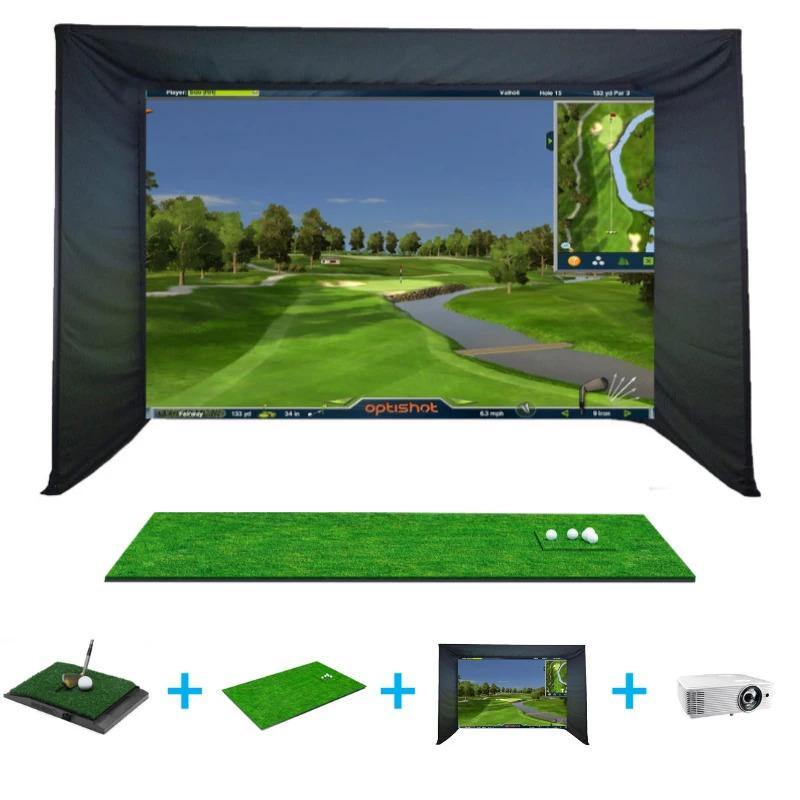
Best budget all-in-one: OptiShot Golf-in-a-Box 4. If you want a single purchase that includes the enclosure, screen, and mat, this is the simplest way to get started.
How to choose
Start with your space and budget, then work backward. If you have a dedicated room and want the most accurate data for serious improvement or club fitting, a camera-based system like the EYE MINI is worth the investment. If you mainly want to play virtual rounds with friends on weekends, a complete package like Golf-in-a-Box 4 gets you there for less.
Browse the full golf simulators category, compare data quality in our launch monitors guide, or see the head-to-head comparison of these two packages.
Frequently Asked Questions
How much space do I need for a golf simulator?
Most packages need a minimum of roughly 10 feet of width, 9-10 feet of ceiling height, and 12-15 feet of depth to safely swing every club and give the ball room to travel before the impact screen.
Do I need a launch monitor and a simulator separately?
No. Most simulator packages bundle a launch monitor with the enclosure, screen, and mat. Some golfers instead buy a standalone launch monitor first and add the enclosure and screen later.