SkyTrak+ vs. Garmin Approach R10
Comparing two of the most popular consumer launch monitors on data, software, and price.


SkyTrak
SkyTrak+ Launch Monitor
More accurate camera tracking and a deeper simulator software ecosystem.
- Tracking Method
- Photometric (camera-based)
- Data Captured
- Ball speed, launch angle, spin rate, carry distance
- Use Cases
- Indoor simulator, outdoor range sessions, club fitting
- Doubles as a full simulator with the SkyTrak+ software subscription
- Portable enough for range sessions and home use
- Full simulator features require an ongoing software subscription
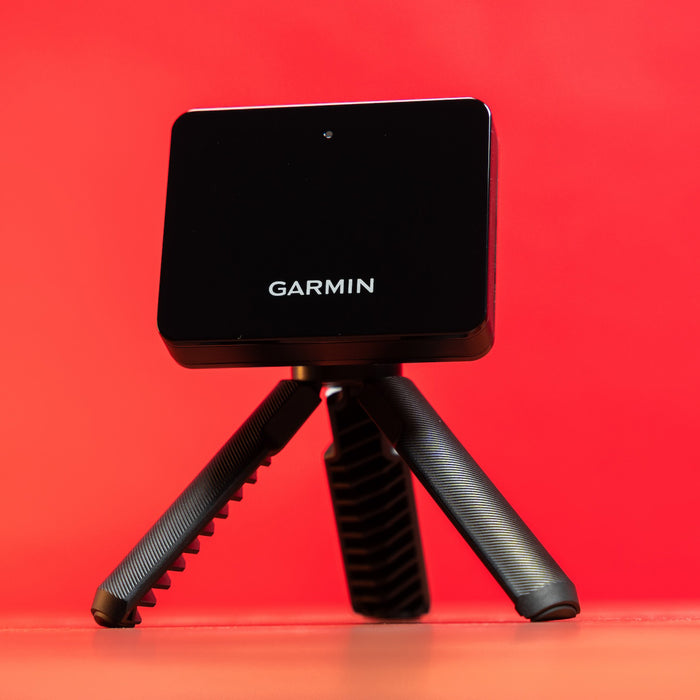
Garmin
Approach R10 Launch Monitor
A fraction of the price and still capable of simulator-style play.
- Tracking Method
- Doppler radar
- Data Captured
- Ball speed, club head speed, carry distance, spin
- Use Cases
- Indoor practice, outdoor range, casual simulator play
- Most affordable way into simulator-style play at home
- Small enough to travel to the range
- Fewer data points than premium launch monitors
Quick take
SkyTrak+ costs roughly five times as much as the Approach R10, and the data quality and software depth scale with that price gap. The R10 is the better starting point; SkyTrak+ is the better long-term simulator centerpiece.
Tracking method
SkyTrak+ uses photometric (camera) tracking, while the R10 uses Doppler radar. In practice, this means SkyTrak+ tends to be more consistent indoors at short range, while the R10 has more flexibility in where it can be placed relative to the ball.
Software and course play
SkyTrak+’s software subscription unlocks full simulated courses and practice ranges. The R10 pairs with the Garmin Golf app for swing metrics and casual virtual play, but the ecosystem is lighter.
Bottom line
Choose the R10 if this is your first launch monitor and budget is the primary constraint. Choose SkyTrak+ if you’re building a dedicated simulator space and want the most complete software experience.
Read our best launch monitors guide or browse the launch monitors category.